
Contents
|
|

How Show Returns As Gross/Net IRR/TWR Works
| Applies to: | ||
|---|---|---|
| ✔ Dynamic |
✔ Client Portal |
|
This setting allows you to determine how returns should appear on the report. With this setting you can also choose to annualize returns.
You might use this setting to create different internal and client-facing views when reporting performance that could be affected by expenses. For example, an internal view might show returns gross of fees, but the client-facing view might show returns net of fees.
You might also use this setting depending on how management fees are paid. If they are paid from a cash security, you can choose to show gross only for that security, to more accurately report how fees are treated.
Depending on the report, you may have either of the following options:

In Dynamic Reports
Show Returns as Gross or Net
On several performance reports, you can choose to show returns as net or gross.
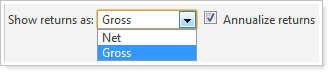
You can select either of the following options:
-
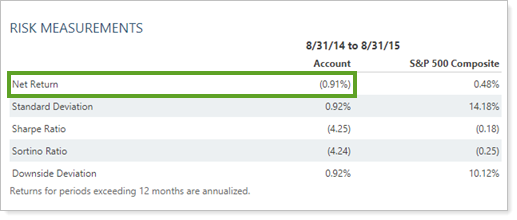
NET. Return reported with fees deducted. See also: Net Return.
-
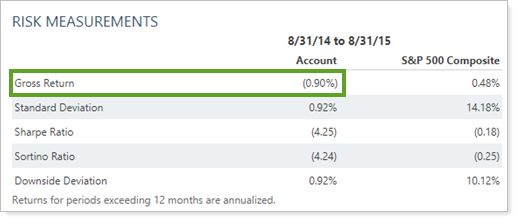
GROSS. Return reported without fees deducted. See also: Gross Return.
| Setting | Report Output |
|---|---|
| Show returns as set to Net |
|
| Show returns as set to Gross |
|
Show Returns as Gross IRR/TWR or Net IRR/TWR
On the some reports, you can use this list to determine how returns should appear on the report.
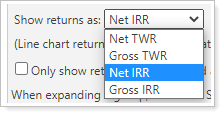
You can select any of the following options:
-
NET TWR. Return reported with fees deducted. See also: Net TWR
-
GROSS TWR. Return reported without fees deducted. See also: Gross TWR
-
NET IRR. Return reported with fees deducted. See also: Net IRR
-
GROSS IRR. Return reported without fees deducted. See also: Gross IRR
Learn more about time-weighted return (TWR) vs. internal rate of return (IRR).
| Setting | Report Output |
|---|---|
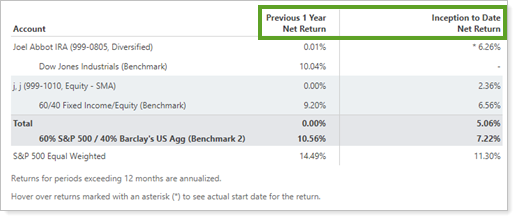
| Show returns as set to Net TWR |
Note that the column header just says Net Return. The return is not marked as TWR, but TWR values are reported. |
| Show returns as set to Gross TWR |
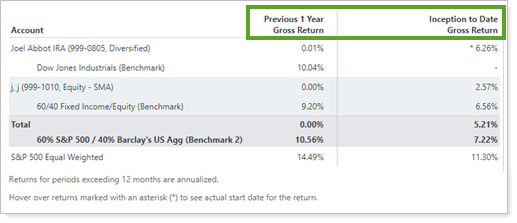
Note that the column header just says Gross Return. The return is not marked as TWR, but TWR values are reported. |
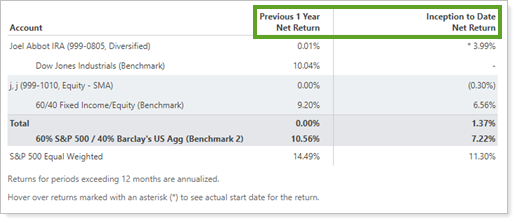
| Show returns as set to Net IRR |
Note that the column header just says Net Return. The return is not marked as IRR, but IRR values are reported. |
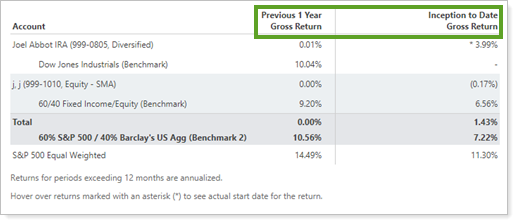
| Show returns as set to Gross IRR |
Note that the column header just says Gross Return. The return is not marked as IRR, but IRR values are reported. |
Display TWR Assets As/Display IRR Assets As
Some securities, most frequently committed capital, are best reported as IRR only. This commonly occurs when the manager of a fund controls when flows occur. In these cases, you can report a security as IRR only, even when the report is set to display TWR. This setting is available on the Reporting tab for the individual security.
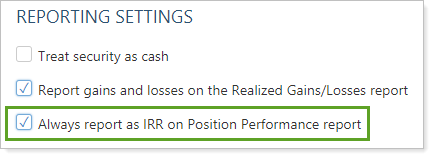
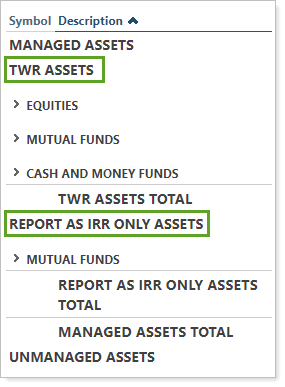
When you choose to show returns as TWR on the Position Performance report, securities marked Always report on IRR on Position Performance report are reported separately from all the other assets where TWR is being reported. In this case, Display TWR assets as and Display IRR assets as allow you to customize the name of each section.
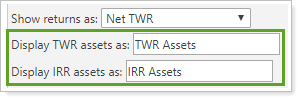
| Setting | Report Output |
|---|---|
|
Display TWR assets as set to TWR Assets Display IRR assets as set to Report as IRR Only Assets |
|
In PDF Reports
Functionality is the same in the PDF report templates as in dynamic reports.
Reports With This Setting
Performance Reports
|
|
Related Settings
The following setting interacts with this option: