Contents

Introduction
Advisor View can be integrated with HiddenLevers, a portfolio stress testing platform for Registered Investment Advisors.

If you use both Tamarac and HiddenLevers, this integration allows you to view Advisor View holdings and account data for client accounts within HiddenLevers, with data updated nightly.
Configuring this integration involves the following steps:
-
Confirm you have a current API agreement on file.
-
Set up integration credentials with HiddenLevers.
Once these steps are complete, HiddenLevers will be able to access your Tamarac data.

Enrollment
You must have a current API agreement on file with Tamarac in order to add the connection to HiddenLevers. If you have not signed an API agreement, please contact Tamarac Account Management at TamaracAM@envestnet.com.
Set Up the HiddenLevers Integration
To set up the integration with HiddenLevers:
-
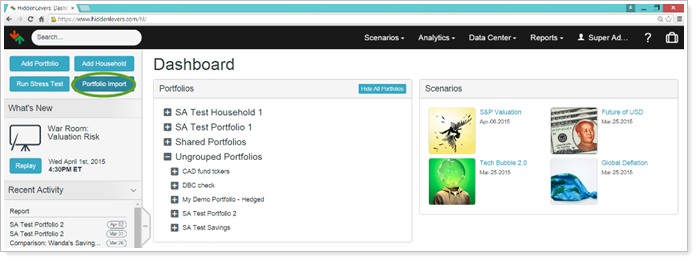
In HiddenLevers, click Portfolio Import.
-
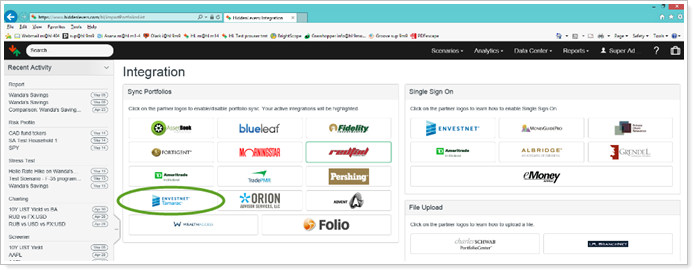
On the Integration page, under Sync Portfolios, click Envestnet | Tamarac.
-
Enter your Tamarac username and password.
-
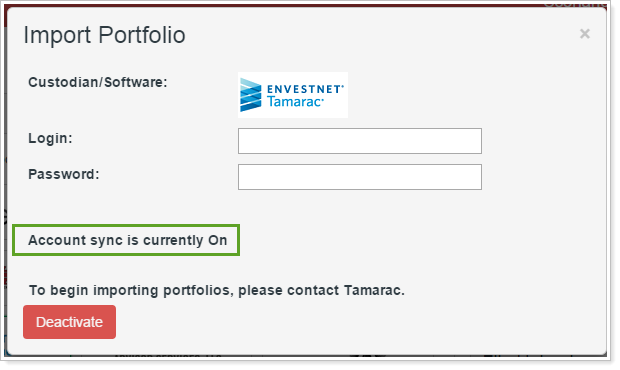
Click Activate. You'll know activation worked when the login page displays Account sync is currently On.
Notes
For assistance with activation, contact HiddenLevers Support at 800.277.4830 or at support@hiddenlevers.com.
Stop the HiddenLevers Integration
To stop the integration sync between Tamarac and HiddenLevers:
-
In HiddenLevers, click Portfolio Import.
-
On the Integration page, under Sync Portfolios, click Envestnet | Tamarac.
-
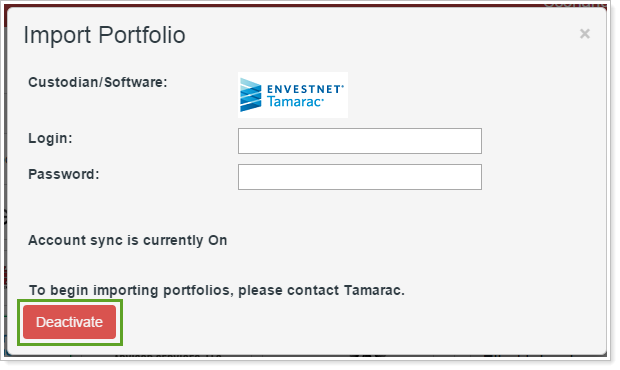
Click Deactivate.